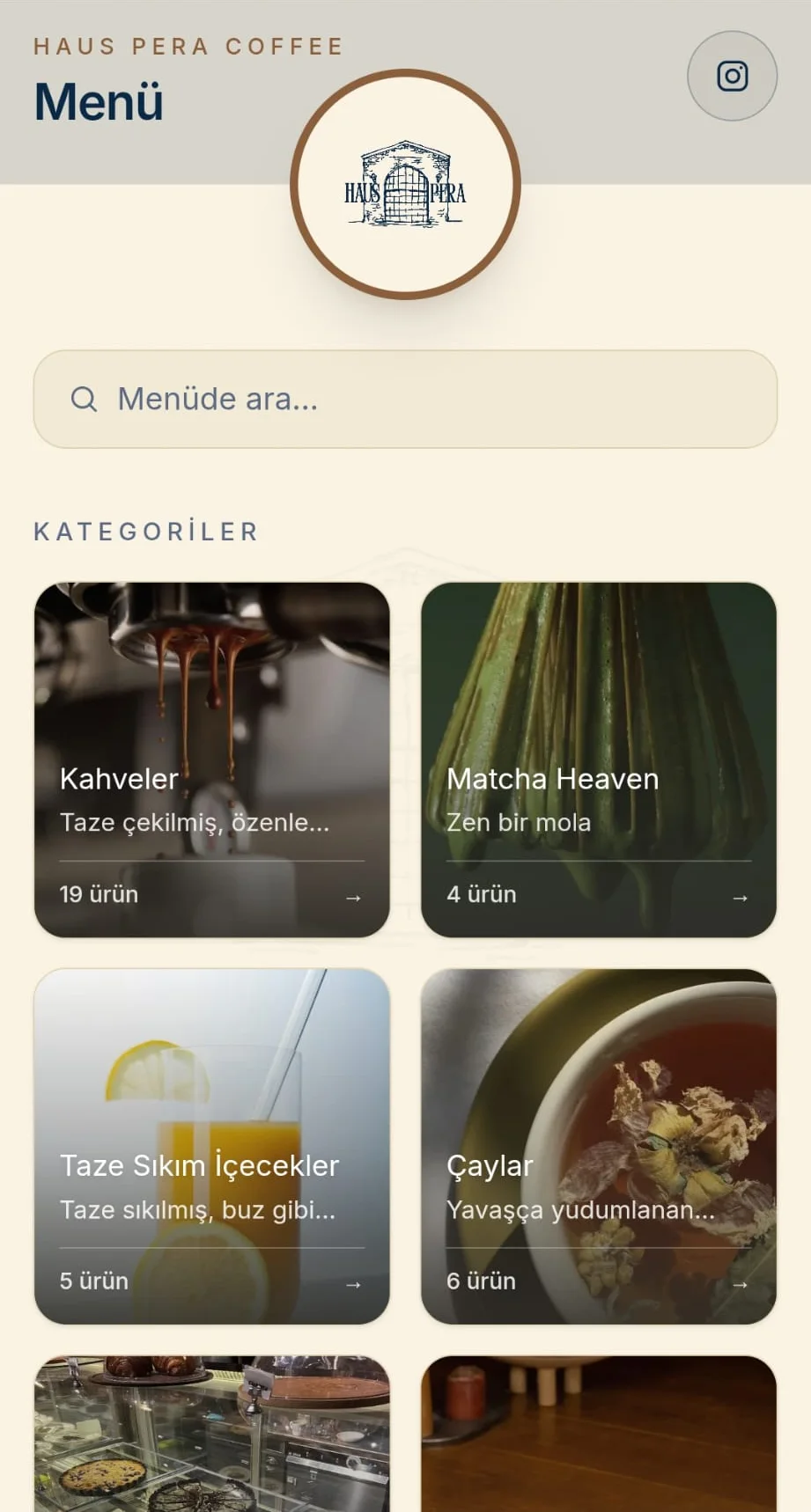
The opening screen of the Haus Pera Coffee QR menu on a phone: search box and category cards

Client work

Haus Pera Coffee QR Menu

The digital menu in use at Haus Pera Coffee. Guests scan the code on their table to open the menu on their phone, while the business updates its products and prices from its own management panel.

Scope
Mobile menu and management panel
Stack
Next.js · PostgreSQL · Vercel

01 — Guest experience

From the table to the menu

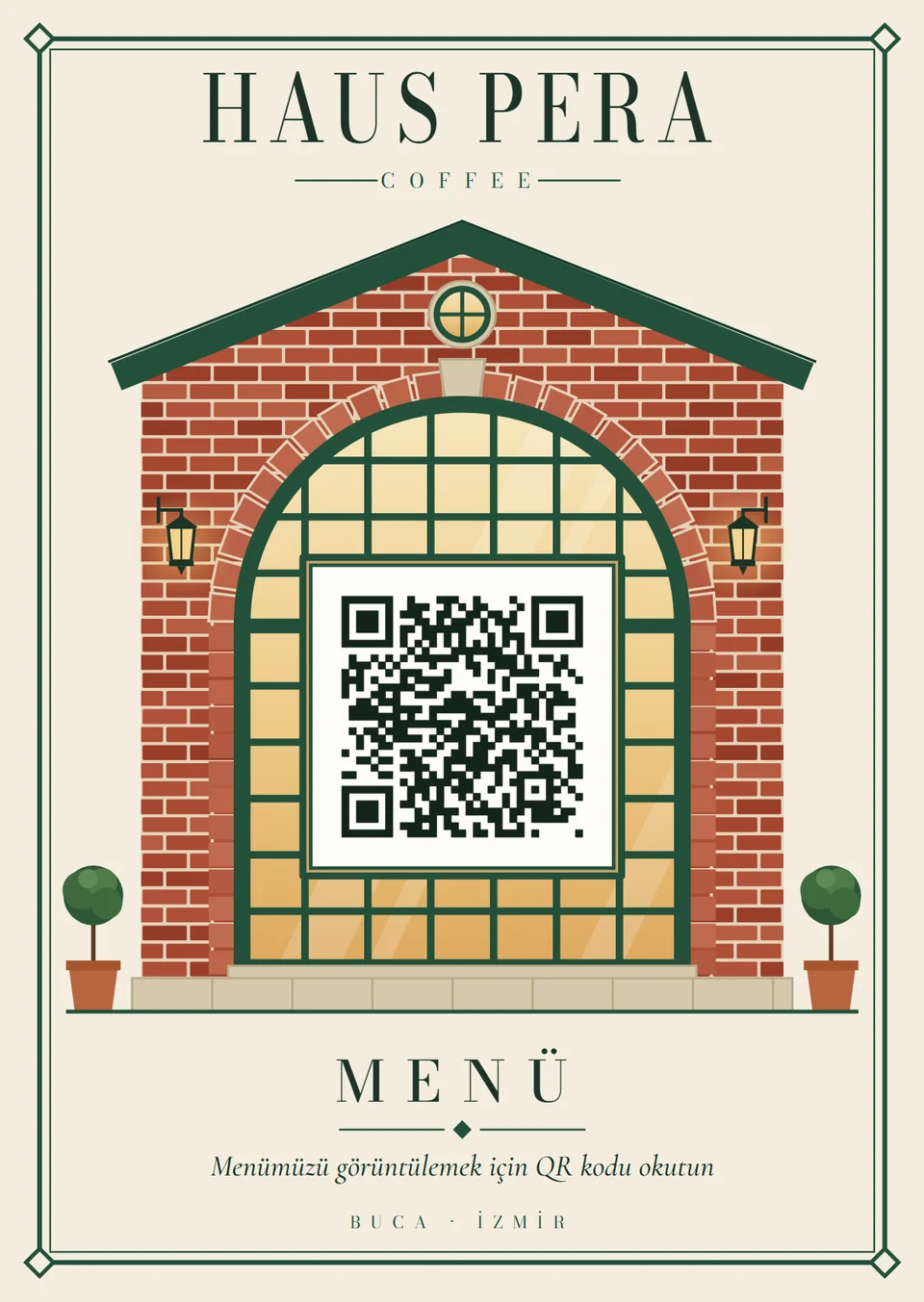
  1. Haus Pera table card: a QR code inside an illustration of an arched brick window, with the line “Scan the QR code to view our menu” in Turkish
    1 Scan the code Every table has a QR card that leads to the menu; scanning it with the phone camera is all it takes.
  2. The menu opened on a phone: category cards and search box
    2 The menu opens on the phone It opens in the browser, with no app to install. Categories and search are on a single screen.

02 — Business management

Prices in the owner's hands

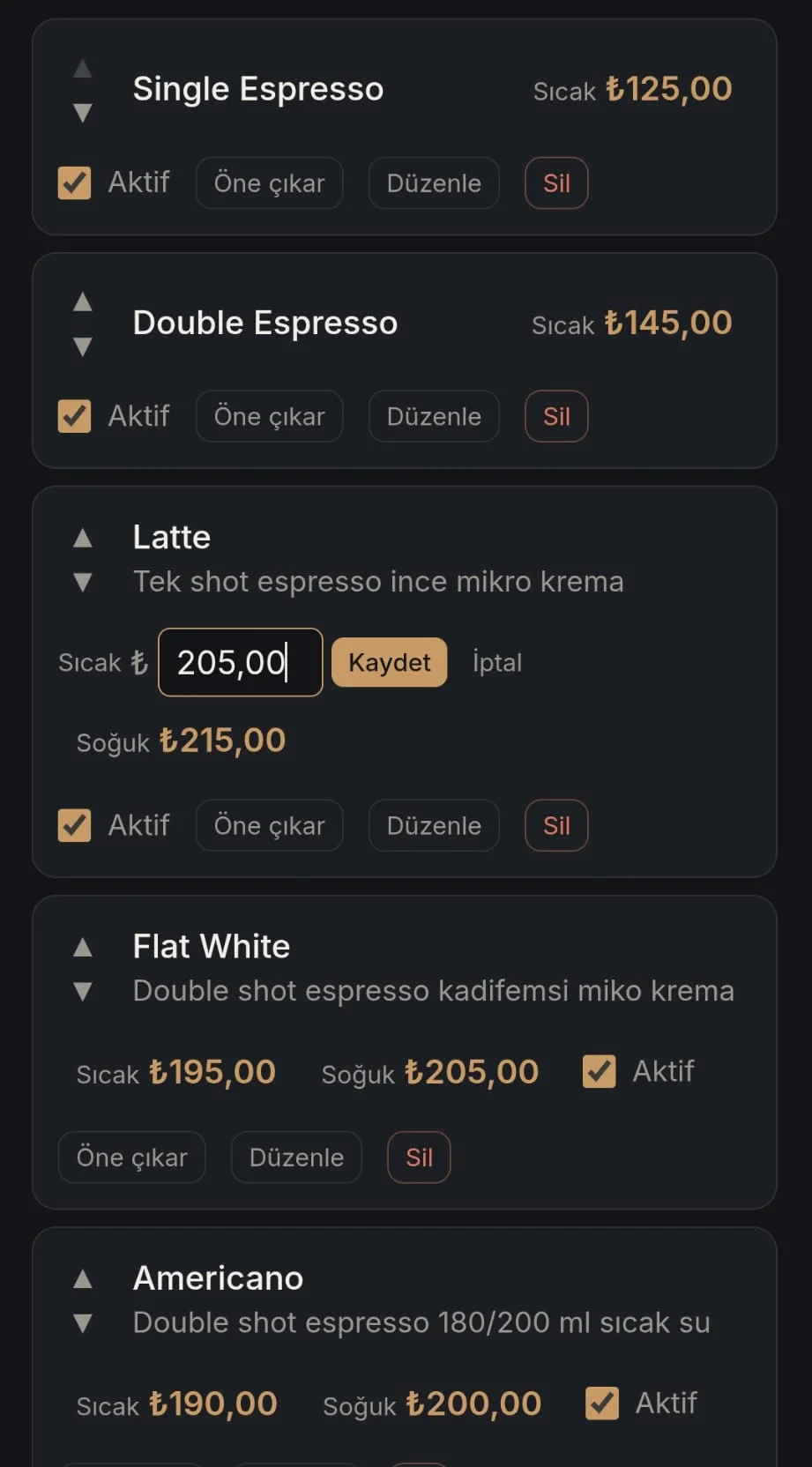
  1. The coffee list in the management panel: the hot Latte price field being edited to 205.00, with Save and Cancel buttons
    1 Prices are updated in the panel The business signs in to its password-protected management panel and changes the price of a product. Here, the hot Latte price is being edited.
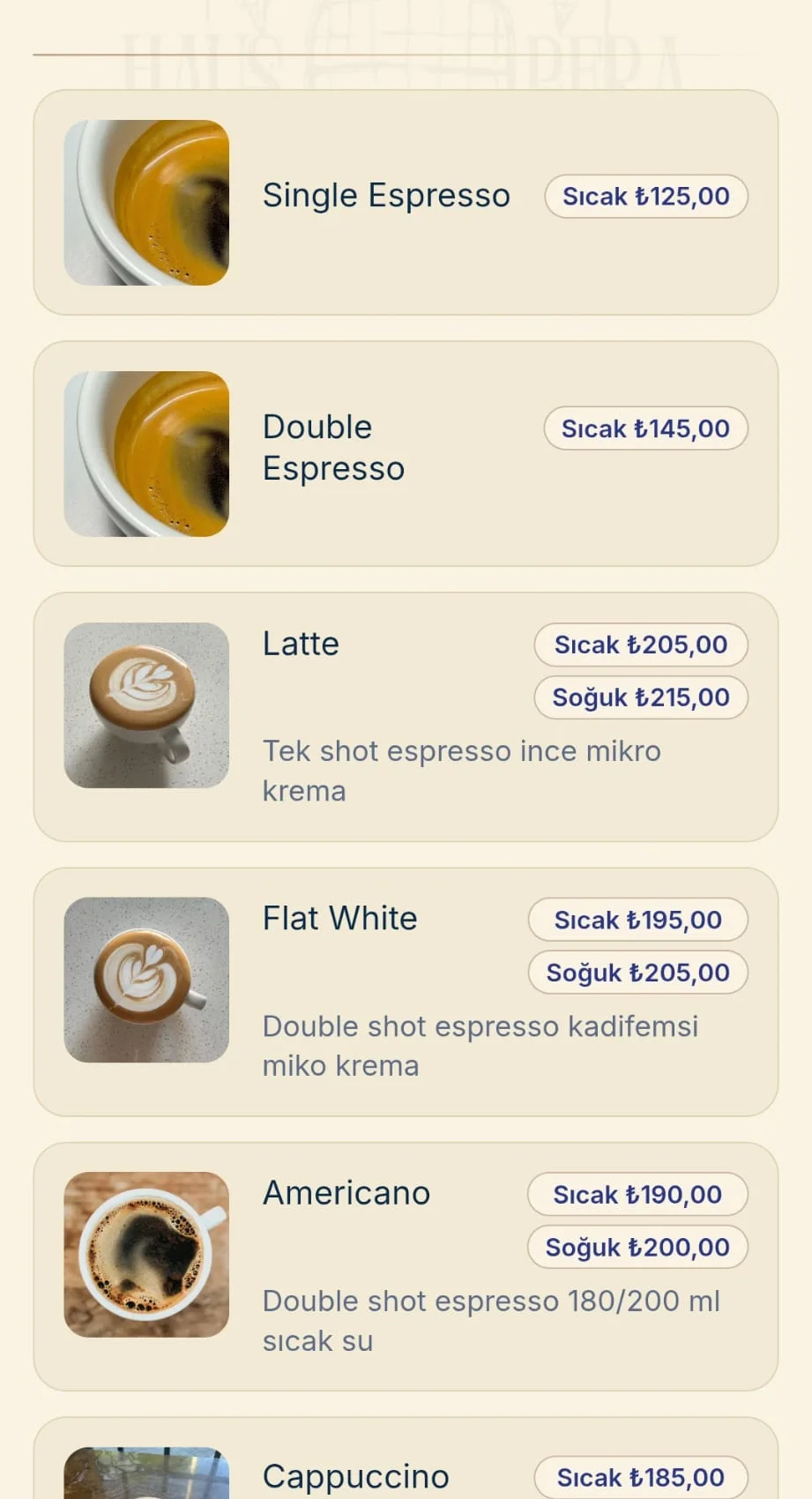
  2. The coffee list on the guest menu: Latte shown at 205.00 TL hot and 215.00 TL iced
    2 The menu updates right away The change appears on the menu as soon as it's saved; the next guest to scan the code sees the Latte at its new price. No developer or reprinting needed.

03 — Approach

A simple foundation

One application

The menu guests see and the management panel the business uses run together in a single Next.js application, so maintenance and updates happen in one place.
The menu as one record

The entire menu is stored as a single record in the database. Since the menu is always displayed and saved as a whole, this keeps things simple and easy to manage.

A menu kept ready

Instead of being read from the database on every visit, the menu is kept ready on the server. When the business saves a change, that copy is refreshed, so guests always see the current menu.

Next steps: dynamic QR codes and a version that multiple businesses can use.